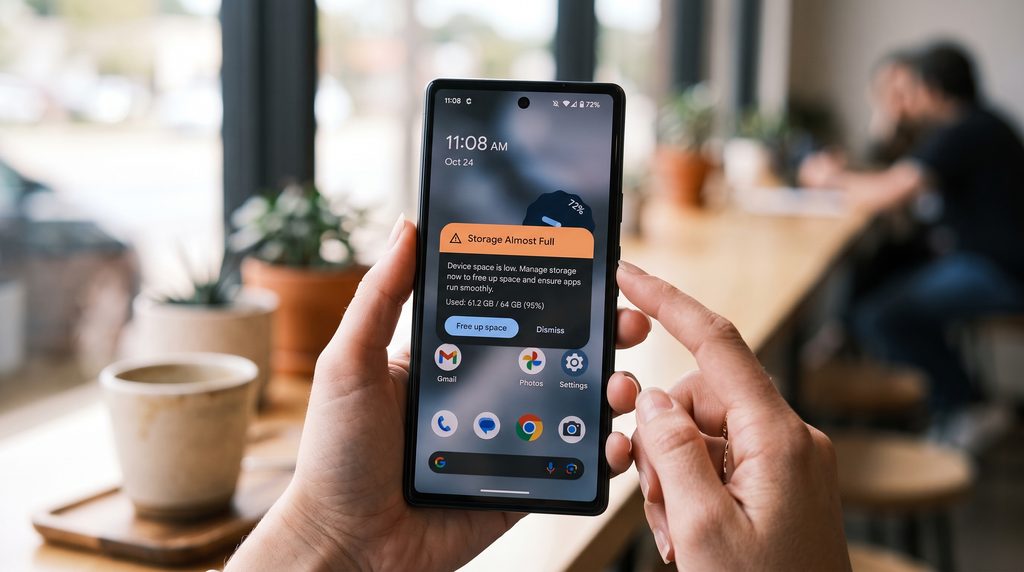
Someone in my family group chat sends me this exact message about twice a year: “my phone says storage full, what do I delete?” And every single time, I ask the same question back – “have you checked WhatsApp?” – and every single time, the answer is some version of “oh my god, yes.”
That’s not a coincidence. If you’ve ever dug into your phone’s storage settings and found a mystery app eating 15GB with no obvious explanation, you’re not imagining it, and you’re definitely not alone. Let’s actually fix this properly, with real numbers, not vague “clear your cache” advice.
Why Your Storage Fills Up Faster Than It Used To
This isn’t just you being bad at managing your phone. A few things have genuinely changed recently that make storage disappear faster than it did a few years ago.
On-device AI features now built into most new phones can eat 40 to 60GB of storage just to run, according to a TrendForce report widely cited across tech outlets in 2026. That’s before a single photo or app. Separately, HD photo and video quality settings – which many people have turned on without realizing – can make files up to six times larger than the standard compressed versions. And messaging apps like WhatsApp don’t clean up after themselves at all; media just accumulates silently in the background, week after week, chat after chat.
Put those together and you get exactly the situation everyone eventually hits: a phone that was “fine” a year ago and is suddenly begging you to delete something every time you try to take a photo.
Step 1: Actually Look at What’s Taking Up Space
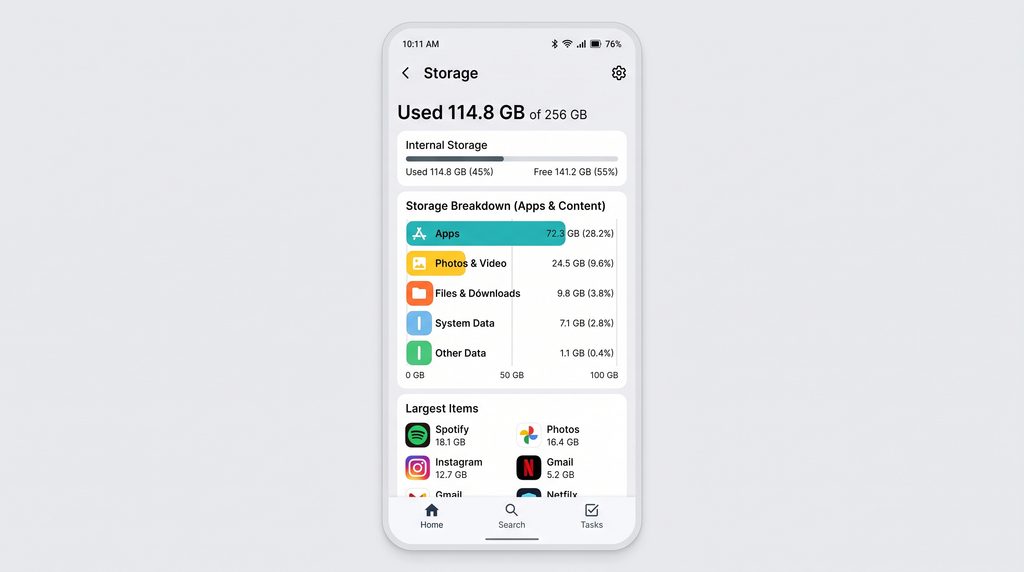
Don’t guess – check. This step alone saves people so much wasted effort.
On iPhone: Settings > General > iPhone Storage. You’ll get a full breakdown by app, largest first.
On Android: Settings > Storage, though the exact wording shifts a little depending on your phone’s brand (Samsung, Pixel, and others each style this screen slightly differently).
Nine times out of ten, one or two apps are responsible for the majority of the problem. There’s no point spending twenty minutes deleting screenshots if a single messaging app is quietly sitting on 10GB.
The Real Culprit: What’s Actually Happening Inside WhatsApp
Let’s talk specifically about WhatsApp, because for most people, it’s genuinely the single biggest storage offender on the phone — often taking up 2 to 10GB, and in plenty of documented cases, well over 15GB.
Here’s the part almost nobody realizes: by default, WhatsApp doesn’t just save media inside the app. On many setups, every photo someone sends you also gets automatically duplicated into your phone’s main camera roll. That means every meme, every forwarded video, every random photo from a 200-person group chat gets saved twice, silently doubling its storage footprint.
The fix takes about two minutes:
- Open WhatsApp, go to Settings > Storage and Data
- Tap Manage Storage – you’ll see a clear breakdown of what’s using space, sorted largest first
- Tap Larger than 5MB to instantly find the forwarded videos and PDFs nobody actually needed to keep
- While you’re there, turn off auto-save to camera roll, and set media auto-download to Wi-Fi only or Never
That single settings change alone typically recovers 5 to 10GB over the following months, because you stop the duplication problem at the source instead of manually cleaning it up every few weeks.
What’s Safe to Delete Right Away
Once you’ve handled WhatsApp, here’s what else you can clear with zero risk:
App cache. This is temporary data apps use to load faster – not your account, not your messages, not your settings. It rebuilds itself automatically. Browsers and social apps are usually the worst offenders here.
Duplicate and near-identical photos. Most phones now have a built-in “similar photos” or “duplicates” suggestion tool buried in the Photos app. Genuinely worth using – most people are shocked by how many nearly identical shots they’re holding onto.
Old screenshots. That Wi-Fi password from a hotel you’ll never visit again, the meme from eight months ago, twelve screenshots of the same recipe. It adds up more than you’d expect.
Downloaded files you forgot about. PDFs, voice notes, random “just in case” downloads. Check your Downloads folder specifically – it’s often one of the most neglected corners of a phone’s storage.
Apps you haven’t opened in six months. If you genuinely can’t remember the last time you used it, delete it. Redownloading takes seconds if you’re wrong.
What Deserves a Second Thought
These aren’t off-limits, but don’t mass-delete without checking first.
Voice memos and personal videos. Easy to forget, but sometimes genuinely important – a recorded lecture, a voice note from someone you love, your kid’s first steps. Skim before deleting in bulk.
Media inside specific chat threads. Both WhatsApp and Telegram let you clear media from individual conversations without deleting the conversation itself – a much safer move than deleting an entire chat history to save space.
Offline maps and downloaded shows. Extremely useful when you need them, dead weight the rest of the time. If you downloaded a season for a flight three months ago and have no travel plans soon, it’s safe to go.
Backup files created by other apps. Some apps – budgeting tools, note apps – generate backup files that look deletable but are actually protecting data you’d hate to lose. When unsure, a quick search of the exact file name before deleting saves a lot of regret later.
What You Should Basically Never Touch
This is where people get themselves into real trouble.
System folders with cryptic names. On Android, you might come across folders like “.android,” “DCIM,” or ones full of random numbers and letters. Leave these alone – they’re often tied directly to how your phone or specific apps function, and deleting the wrong one can cause crashes or broken features.
“App data” for apps you’re actively using. There’s a real difference between clearing an app’s cache (safe) and clearing its data or storage (risky). Clearing app data can wipe your saved logins, preferences, and sometimes your entire progress inside that app – essentially resetting it to day one.
Anything you don’t recognize the purpose of. This sounds obvious, but it’s the single most common cause of the panicked “why is my phone broken now” messages people send their tech-savvy friend. If you don’t know what a file or folder does, leave it and go clear something else instead.
Your only copy of something important. IDs, certificates, work files — if it exists only on your phone and nowhere else, back it up before you go anywhere near deleting things nearby.
The Long-Term Fix: Back Up, Then Delete With Confidence
Deleting things manually is only half the fix. The real long-term solution is making sure you never have to choose between “keep this memory” and “actually use my phone.”
Cloud services – Google Photos, iCloud, Dropbox – back up your photos and files automatically, often free up to a certain limit. Once something’s safely backed up, deleting the local copy on your phone costs you nothing, because it isn’t actually gone.
Set this up once and the “delete or don’t take the photo” panic mostly disappears from your life for good.

A Five-Minute Monthly Habit That Prevents This Entirely
Most people only deal with storage once it’s already a crisis. This routine takes about five minutes a month if you stay ahead of it:
- Open WhatsApp’s Manage Storage tool and clear anything larger than 5MB that you don’t need
- Skim your camera roll for obvious duplicates or blurry shots
- Check your Downloads folder for forgotten files
- Delete one or two apps you haven’t opened recently
Do this monthly, and you’ll likely stop seeing that storage warning altogether – or at least go a very long time without it.
The Bottom Line
Running out of storage feels like a bigger crisis than it actually is. Most of what’s clogging your phone is completely disposable – WhatsApp media duplication, app cache, forgotten downloads, apps you don’t even remember installing. The genuinely important stuff is a much shorter list, and once you know what to leave alone, you can clean house without any real risk.
Give it twenty minutes this week. Start with WhatsApp specifically – for most people, that’s where the biggest single win is hiding.
Did WhatsApp turn out to be the culprit for you too? I’d bet on it – let me know in the comments what you found.